 Akshay Dinesh
A barcode looks simple enough to be almost forgettable: black lines, white gaps, and a row of digits printed underneath. At a checkout counter, though, that small pattern has to do a surprisingly exact job. It must identify the right product in a fraction of a second, even when the package is curved, glossy, tilted, smudged, or moving across a scanner window. The scanner is not reading the price printed on the shelf. It is reading a product code, checking that the code makes sense, and handing that code to a computer system that looks up the price, name, tax category, inventory record, and other details.
That mix of light, pattern recognition, and database lookup is why barcodes became one of the quiet foundations of modern retail. They are fast because the printed pattern is designed for machines to read. They are reliable because the numbers follow standards and include error checks. And they are useful because the code on the package does not have to carry every fact about the product. It only needs to point to the right record.
The Barcode Is a Number in Disguise
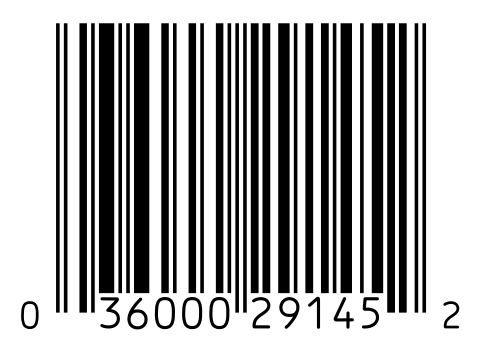
Most familiar grocery-store barcodes in North America are UPC-A codes. GS1, the standards organization behind many retail barcode systems, describes a UPC-A barcode as a linear, or one-dimensional, barcode made of 12 digits. Those digits are often part of a GTIN-12, a Global Trade Item Number that uniquely identifies a trade item. The black bars and white spaces are simply a machine-readable way to print that number.
The printed digits underneath matter too. They let a cashier type the number manually if the barcode is torn or will not scan. But the scanner normally ignores the human-readable row and pays attention to the pattern above it. Different combinations of narrow and wide bars, along with the spaces between them, represent the digits. A barcode also has guard patterns that help the scanner find the beginning, middle, and end of the code.
This is why a barcode is not just a random set of stripes. The quiet blank space at the left and right edges gives the reader room to notice where the code begins and ends. The start and stop patterns help the decoder orient itself. The middle pattern separates the two halves of the code. The whole design is meant to help a scanner recover the same number again and again from an imperfect real-world label.
The Scanner Reads Reflected Light
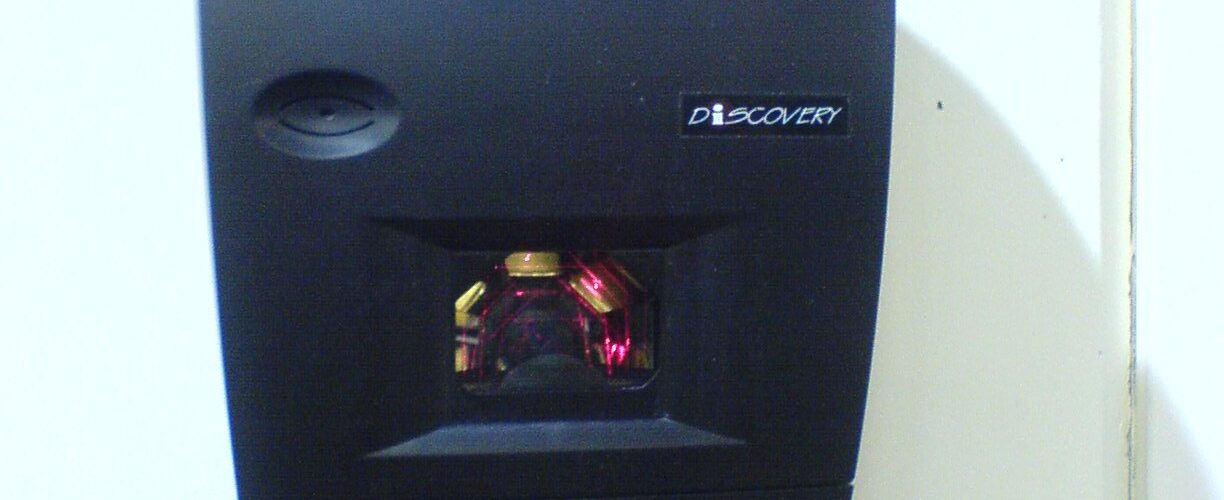
The basic scanning idea is wonderfully physical. A scanner shines light at the label and measures how much light comes back. White spaces reflect more light. Black bars absorb more of it. As the scanner crosses the barcode, the reflected light rises and falls in a pattern that matches the sequence of bars and spaces.
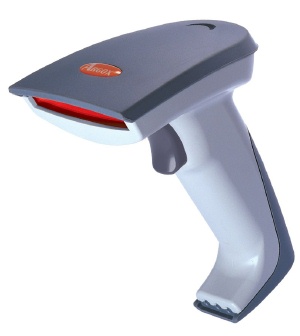
Older and many familiar handheld scanners use a laser and a moving mirror to sweep a thin red line across the barcode. The reflected light hits a light-sensitive detector, which turns the brightness changes into an electrical signal. Other scanners use LEDs and an image sensor, somewhat like a small digital camera. Instead of sweeping one line, they capture an image or row of light values and let software find the barcode inside it.
That difference matters in everyday use. A simple laser scanner is very good at reading clean one-dimensional barcodes from a distance and at a fast pace. Image-based readers can often handle more complicated codes, damaged labels, phone screens, and two-dimensional patterns such as QR codes. Either way, the scanner is not doing anything mysterious. It is measuring contrast, converting light into data, and asking a decoder to make sense of the pattern.
The reason scanners often use red light is practical rather than magical. Red LEDs and laser diodes are inexpensive, visible, and effective for many printed labels. The exact color matters less than the contrast between the dark and light parts of the code. If glare, wrinkles, dirt, or poor printing makes that contrast hard to measure, the scanner may beep in frustration instead of success.
Decoding Turns Widths Into Digits
Once the scanner has a signal, it still has to decide what the signal means. The decoder looks for the quiet zone, the guard bars, and the repeating pattern of dark and light widths. It then translates those widths into digits according to the barcode type. A UPC-A code does not use each bar as one digit. It uses a structured pattern where each digit is represented by a specific group of modules across bars and spaces.
This structure helps explain why scanning can work from either direction. The left and right halves of a UPC-A code use different encodings, so the decoder can often tell whether the code was scanned left-to-right or right-to-left. If the scanner sees the pattern backward, it can reverse the interpretation and still recover the same product number.
After the digits are decoded, the system checks the final digit. GS1 calls the last digit of fixed-length numeric GS1 identification keys a check digit. It is calculated from the previous digits, so the scanner can test whether the number it read is internally consistent. If one digit is misread, or if parts of the code are interpreted in the wrong way, the check digit often catches the problem before the wrong item is accepted.
The check digit does not make barcodes perfect, and it does not prove that a product label is honest. It is mainly a guard against ordinary reading and typing mistakes. That modest job is still valuable. At retail speed, preventing even a small share of misreads saves time, money, and customer confusion.
The Barcode Does Not Usually Store the Price
One of the easiest misunderstandings about supermarket barcodes is the idea that the price is printed inside the bars. In most retail systems, the barcode identifies the product, not the current price. When the scanner reads the code, the checkout system searches a product database. That database contains the price the store is charging at that moment, along with details such as the product name, department, sales tax rules, coupons, and inventory behavior.
This design is much more flexible than printing prices into the barcode. A store can change a sale price in the checkout system without printing new packages. The same packaged item can be sold by many different stores at different prices while keeping the same manufacturer-assigned product identifier. A warehouse can use the code to track receiving and inventory, while a checkout counter uses it to ring up a sale.
Some labels do include variable information. Fresh foods weighed in a store, for example, may use special store-generated labels that encode a product category and a calculated price or weight. Shipping, library, pharmacy, and inventory labels may carry different kinds of data depending on the system. But the common packaged-product UPC is best understood as an identifier. It tells the computer what item is in front of it, and the computer supplies the surrounding information.
Why Barcodes Stay Useful Even With Newer Codes
Two-dimensional codes can store much more information than a traditional UPC. QR codes can hold URLs, text, contact details, or other data in a square pattern. Modern image scanners can read them quickly, and phones have made them familiar to almost everyone. Even so, the one-dimensional barcode remains useful because it is cheap to print, easy to scan, compact on packaging, and deeply connected to retail systems that already depend on it.
The older barcode also solves a different problem from a QR code on an advertisement or restaurant table. A grocery barcode does not need to carry a long message. It needs to identify a product reliably at high speed. The short, standardized product number is enough because the rest of the information lives in the store’s computer system.
That division of labor is the real strength of the barcode. The printed label provides a stable machine-readable key. The scanner turns that key into digits. The checkout or inventory system connects the digits to records that can change over time. A small pattern of lines becomes useful because it is part of a larger system of standards, sensors, software, and shared expectations.
The next time a scanner beeps almost instantly, it is worth noticing how many steps disappeared into that sound. Light bounced off ink. A sensor measured the reflection. A decoder rebuilt a number from widths and spaces. A check digit helped reject bad reads. A database matched the code to a product. The barcode did not know the price, and it did not need to. It only had to give the system the right key.