 Akshay Dinesh
A student ID card can look simple: a name, a photo, a school logo, maybe a barcode on the back. Yet that small piece of plastic can do much more than prove who someone is at a glance. In many schools and colleges, the same card can check out library books, open a building door, record bus boarding, connect to a lunch account, or verify access to a printer, lab, dorm, or event.
The card is not doing all of that work by itself. Most of the power sits in the systems around it: scanners, card readers, databases, permissions, and rules about what each scan is allowed to mean. Once that is clear, a student ID becomes easier to understand. It is not just a badge. It is a key that points to a record.
The Card Usually Holds Less Than People Think
The most important detail about many modern ID cards is that they often do not store a full student record on the card itself. A barcode may encode a student number or another identifier. A magnetic stripe may hold a short code that a reader can send to school software. An RFID chip may send a unique card number when it is close enough to the right reader.
That identifier works a little like a library call number. It does not contain the whole book; it tells the system which record to look up. When a cafeteria scanner reads a card, the food-service system can match the code to an account. When a library desk scans the same card, the library system can match it to borrowing privileges. The printed card and the backend database work together.
This design has practical benefits. If a card is lost, the school can usually deactivate that card number and issue a replacement without changing the student’s entire record. If a student graduates, transfers, or changes access permissions, the database can be updated while the card remains only a credential. The risk does not disappear, but the card does not need to carry every piece of personal information to be useful.
Barcodes, Stripes, and Chips Read the Card in Different Ways
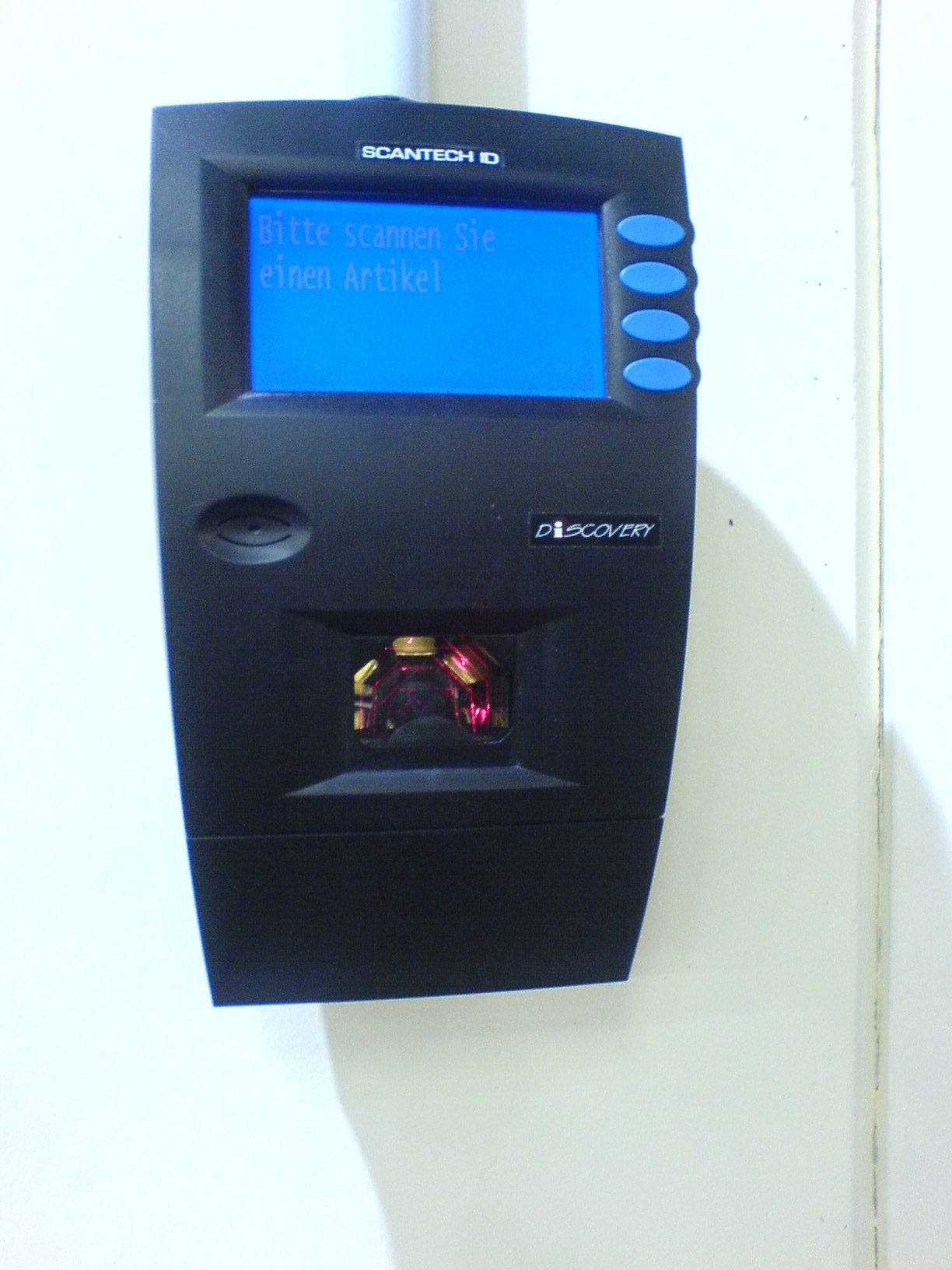
Older and simpler student IDs often rely on printed barcodes. A scanner shines light on the black-and-white pattern, reads the reflected contrast, and turns the pattern into numbers or letters. Barcodes are inexpensive and easy to print, but they usually need a clear line of sight. If the barcode is scratched, covered, bent, or badly faded, the scanner may struggle.
Magnetic stripes work differently. A card reader senses magnetic patterns in the stripe, similar to the way older bank cards and hotel key cards have been read for years. Stripes can store more than a printed barcode, but they can wear down, demagnetize, or fail if the reader is dirty or the swipe is uneven.
RFID and contactless cards use radio signals. The Food and Drug Administration’s public description of RFID explains the basic system as two parts: tags and readers. The reader sends radio waves, and the tag sends back its identity or other information. Passive RFID tags, the kind often discussed in ID-card settings, do not have their own battery; they are powered by the reader when they are close enough.
That difference matters because RFID does not need a visible printed pattern. A student may only need to tap a card near a reader or hold it within a short range. In a busy line, that can be faster than aiming a barcode under a scanner. It can also raise more questions, because people cannot see radio communication the way they can see a printed barcode being scanned.
A Scan Is Really a Question Asked to a System
When a card is scanned, the reader is not simply saying, “This is Maya” or “This is Jordan.” It is asking a system a more specific question: Does this card number match an active record, and what should happen right now? The answer depends on the reader, the place, the time, and the permissions attached to that record.
At a library desk, the system may check whether the student can borrow materials and whether anything is overdue. At a cafeteria register, it may connect the card to a meal account. At a building entrance, it may check whether the card is allowed through that door during that time window. On a bus, it may record that a particular card was presented when a student boarded or exited.
A public FAQ from Scottsdale Unified School District gives a concrete example. The district says its student IDs have barcodes for meals and library checkout, while passive RFID is used for transportation records when students board or exit buses. The same FAQ says the RFID chip stores only a card number rather than the student’s name, grade, campus, or other personal details. That is one district’s setup, not a rule for every school, but it shows the general pattern: the card sends a limited identifier, and the system decides what that identifier means.
That also explains why one ID can do several jobs. The cafeteria, library, transportation, and access-control systems may all recognize the same card, but each system uses it for a different purpose. The card is shared; the permissions and records are not all the same.

Access Depends on Permissions, Not Just Possession
It is tempting to think of an ID card as a simple key: if someone has it, the door opens. Better systems are more careful than that. A card number can be active or inactive. It can be allowed at one door but not another. It can work during school hours but not late at night. It can be tied to a student, staff member, visitor, or contractor with different rules for each group.
That is why lost-card reporting matters. If a misplaced card still works, someone else might be able to use it before anyone notices. If the card is deactivated quickly, the physical plastic becomes much less useful. The replacement card can receive a new identifier while the old one is blocked.
Good access systems also leave records. A door reader may log when a card was used. A bus scanner may record boarding and exit times. A meal system may record purchases or meal claims. Those records can solve practical problems, such as checking whether a student boarded the correct bus, but they also create responsibility. A system that collects logs needs rules for who can view them, how long they are kept, and what they may be used for.
That is where the difference between access and surveillance becomes important. A card used only at specific checkpoints is different from a system designed to follow a student’s movement continuously. Passive RFID by itself is not GPS, and it does not broadcast location from across town. Still, placement of readers, logging rules, and database access can change how much a school knows from card use.
The Privacy Questions Are Part of the Technology
The most useful question is not simply “Does this card have a chip?” A better question is “What does the chip or barcode reveal, who can read it, and what happens after it is read?” Those questions are practical enough for students and families to understand, and they help separate rumors from real concerns.
A plain printed barcode can expose an identifier to anyone who can see or photograph it, though the identifier may be meaningless without access to the school system. A passive RFID card may be unreadable without the right reader and range, but its security depends on the card type, encryption, reader placement, and database design. A contactless system can be convenient and still deserve clear rules.
Schools can reduce confusion by explaining several points in ordinary language: what information is printed on the card, what information is stored on the chip or stripe, where readers are installed, what each scan records, who can see those records, how lost cards are deactivated, and whether students have alternatives in unusual situations. The technical details matter, but the trust comes from clear boundaries.
Students can also build good habits. Treat the card as more than a piece of plastic. Report it when it is missing. Avoid posting clear photos of barcodes or card numbers online. Do not lend it to someone else to enter a space, borrow materials, or record attendance. A card tied to a record can affect more than the person holding it.
A Small Card Sits Inside a Larger System
Student ID cards are useful because they make ordinary school routines faster and more consistent. A library checkout line moves more smoothly. A cafeteria account can be found without typing a name. A building can limit access to people who should be there. A transportation office can see which card was scanned on a bus route.
None of those benefits comes from the card alone. The real system includes the printed badge, the reader, the database, the permissions, the logs, the replacement process, and the people who decide how the information is used. That larger system is why two cards that look almost identical can behave very differently from one school to another.
A student ID works best when it is boring in the right ways: easy to use, hard to misuse, quick to replace, limited in what it reveals, and clear about what each scan means. The card may carry a name and photo on the outside, but its deeper job is to connect identity to a specific permission at a specific moment. Understanding that makes the technology less mysterious and the privacy questions much easier to ask.