 Akshay Dinesh
A bubble sheet looks almost too simple to be interesting: rows of circles, a pencil, and a set of choices. Yet the page is carefully designed for a computer to read quickly. The machine does not understand the question, judge the student’s reasoning, or read the handwritten work in the margin. It solves a narrower problem: find the right spots on the page, decide which spots are dark enough to count as marked, and send those results into a scoring or data system.
That process is called optical mark recognition, often shortened to OMR. It is different from reading ordinary handwriting. OMR works because the form tells the scanner exactly where answers could appear, so the system only has to decide whether a mark is present or absent at each location. That simple idea explains why bubble sheets can be scored so fast, why form design matters so much, and why stray marks or poor erasing can cause trouble.
The Scanner Is Looking for Contrast, Not Meaning
The key to a bubble sheet is contrast. A blank answer area reflects more light than a dark pencil or ink mark. In a traditional OMR reader, the sheet passes through a scanner or reader that shines light onto the paper and measures how much light comes back from each answer position. A filled bubble reflects less light, so it appears darker to the system than the surrounding paper.
Modern systems may use cameras or ordinary document scanners instead of older dedicated readers, but the basic logic is similar. Software turns the scanned page into an image and checks the zones where marks are expected. If enough dark pixels appear inside one bubble, the software treats that bubble as selected. If the area is mostly light, it is treated as blank.
This is why OMR is not the same as optical character recognition, or OCR. OCR tries to turn printed or handwritten letters into text, which is much harder because letters vary in shape, size, and style. OMR has a more controlled job. It reads a fixed pattern of possible marks, so it can be fast and reliable when the form is designed and filled correctly.
Why the Form Layout Matters So Much
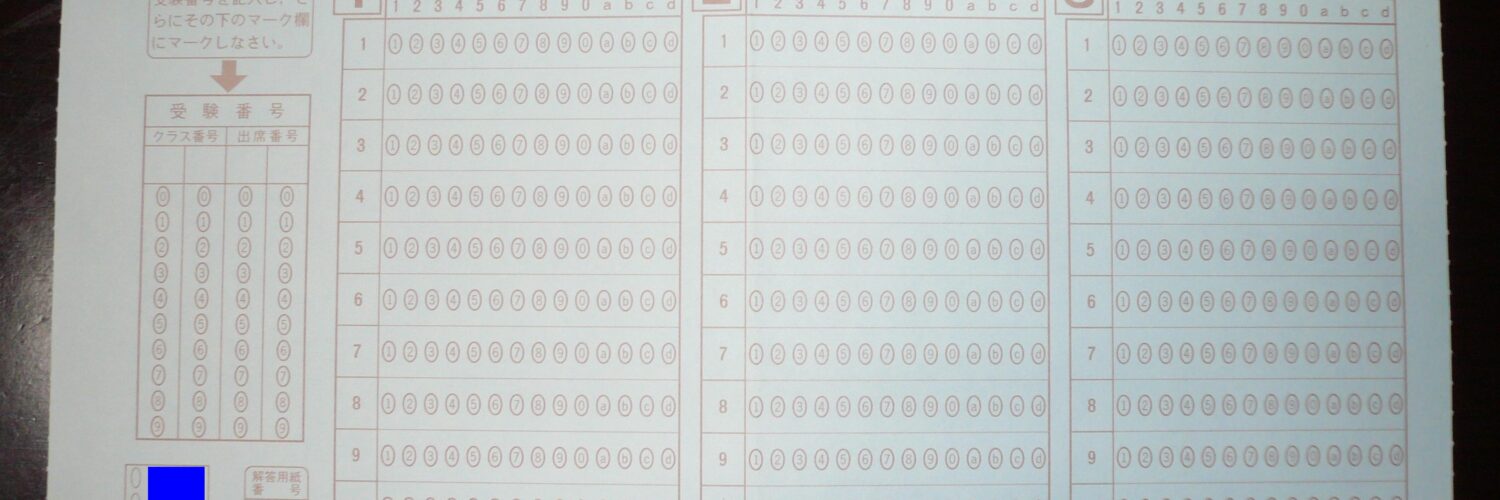
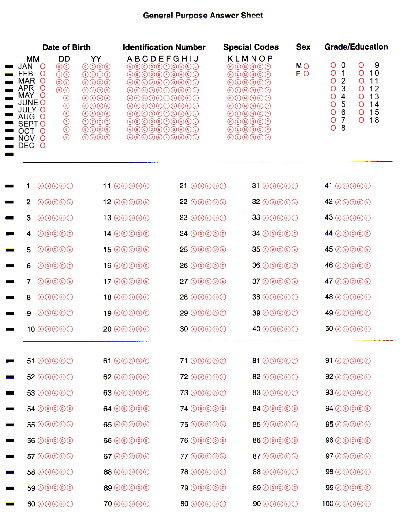
A bubble sheet is not just a piece of paper with circles on it. It is a map for the scanner. Every row, column, margin, and printed guide helps the software match the physical page to a digital template. Once the system knows where the page begins and how it is aligned, it can check the expected answer positions in order.
Many OMR forms include registration marks, timing marks, corner marks, barcodes, or other printed guides. These marks help the scanner handle small shifts as pages move through a feeder. If a sheet is slightly tilted, stretched by poor printing, cropped incorrectly, or fed unevenly, the software has to correct for that before it can trust the answer zones.
Older dedicated forms often used special colors that the scanner could ignore. These were sometimes called drop-out colors because the printed guide marks could disappear from the scanner’s point of view while dark pencil marks remained visible. That allowed the form to give students clear printed bubbles without confusing the reader. Newer camera-based systems can handle more kinds of forms, but they still depend on alignment, contrast, and a template that tells the software where to look.
The fixed layout is what makes the method powerful. The system does not need to search the whole page for an answer. It checks question 1, choice A, then question 1, choice B, and so on. Each possible answer is a known location. The human sees a test form; the machine sees a grid of yes-or-no decisions.
How a Mark Becomes a Score
After the scanner detects marks, the next step is interpretation. A scoring system may compare the selected bubble for each question with an answer key. For a survey, it may store each selection as a response in a table. For an ID section, the system may read a pattern of filled bubbles as numbers or letters.
Most systems use thresholds to decide whether a mark counts. A very dark bubble is easy. A blank bubble is easy. The difficult cases sit in between: a half-filled oval, an erased answer, a smudge, a check mark that barely crosses the bubble, or two dark marks in the same row. The software may flag those cases for review or apply rules set by the testing organization.
That explains common bubble-sheet instructions. Fill the bubble completely. Do not make stray marks. Erase cleanly. Use the requested writing tool. These directions are not meant to make the sheet look neat for its own sake. They help the scanner separate an intentional answer from noise.
The famous number 2 pencil rule has a history behind it. Early mark-sensing systems often depended on graphite marks behaving predictably, and graphite produced dark, machine-readable marks. Many modern optical systems can read other dark marks too, including some black ink, but directions still matter because each testing system is calibrated for specific forms and tools. If a form says to use a particular pencil or pen, the safest choice is to follow that instruction rather than guessing what the scanner might tolerate.
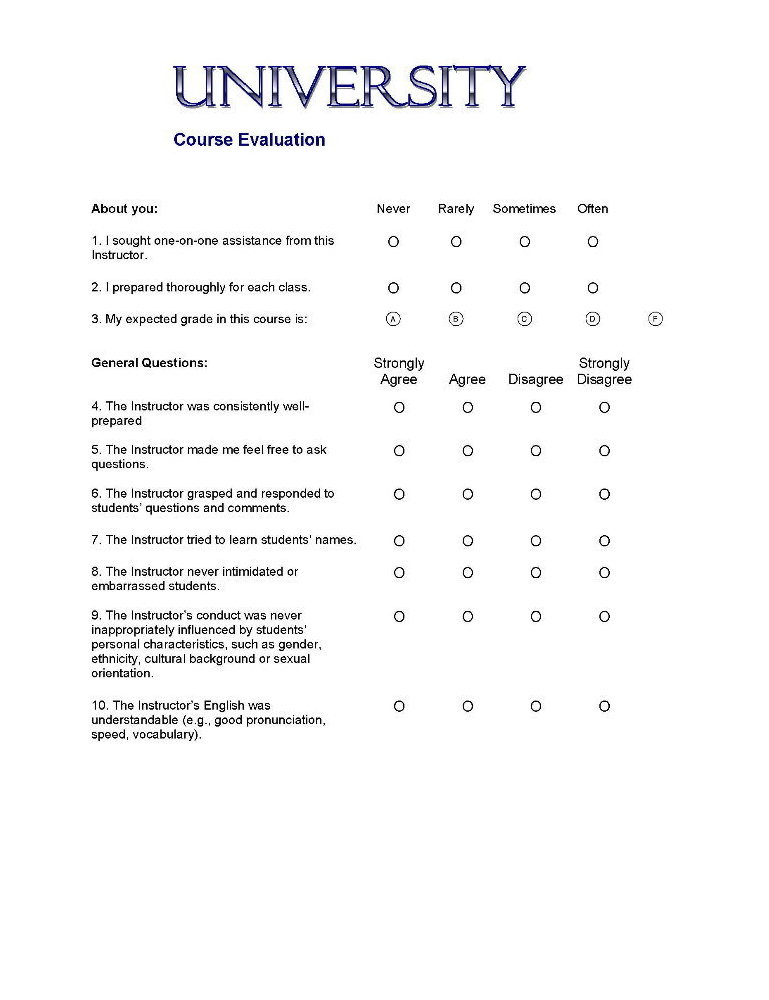
What Can Go Wrong
OMR is accurate when the page, scanner, and marks match the system’s expectations. It becomes less reliable when the form gives the computer a mixed signal. A crease may cast a shadow. A photocopy may darken the printed bubbles. A page may be printed slightly smaller than the original template. A mark may drift into the next bubble. None of these problems requires a dramatic mistake; small visual changes can matter when a machine is making thousands of quick decisions.
Form design reduces those risks. Good answer sheets leave enough space between choices, use consistent printing, reserve quiet areas around critical marks, and include alignment features. Good scanning workflows also include checks: rejecting pages that are too skewed, warning when a row has more than one answer, or sending uncertain responses to a person for review.
There is another limitation that is easy to miss. OMR is excellent for structured choices, but poor for open-ended thinking. It can tell whether B was marked. It cannot tell whether a paragraph explains a claim well, whether a student used a smart strategy, or whether a written response shows partial understanding. That is not a flaw in the technology so much as a boundary around what it was built to do.
This boundary shapes the kinds of tasks that use bubble sheets. Multiple-choice tests, attendance forms, surveys, ballots, inventories, and checklists all fit OMR because the possible answers are known before the page is scanned. Essays, explanations, diagrams, and free-form notes need other kinds of reading, sometimes by people and sometimes by more complex software.
Why Bubble Sheets Still Matter
Bubble sheets may feel old-fashioned beside laptops and online forms, but the underlying idea is still useful. Paper is cheap, portable, familiar, and easy to distribute in rooms where devices may be unavailable or distracting. Scanning a stack of marked forms can turn a paper activity into structured data without asking each person to type responses into a device.
The same idea also appears beyond classrooms. Many organizations still use marked forms when they need physical records, fast batch processing, or simple choices from many people. Computer vision has made some workflows more flexible, but the basic OMR tradeoff remains the same: it works best when people mark a clearly designed form in predictable places.
That makes bubble sheets a useful example of a larger computing principle. Computers often seem smart because the problem has been carefully arranged for them. The bubbles, rows, timing marks, answer key, and scanner settings all turn a messy human action into something the machine can measure. A student fills in an oval, but the system sees position, darkness, alignment, and thresholds. From those small signals, pencil marks become data.