
 Akshay Dinesh
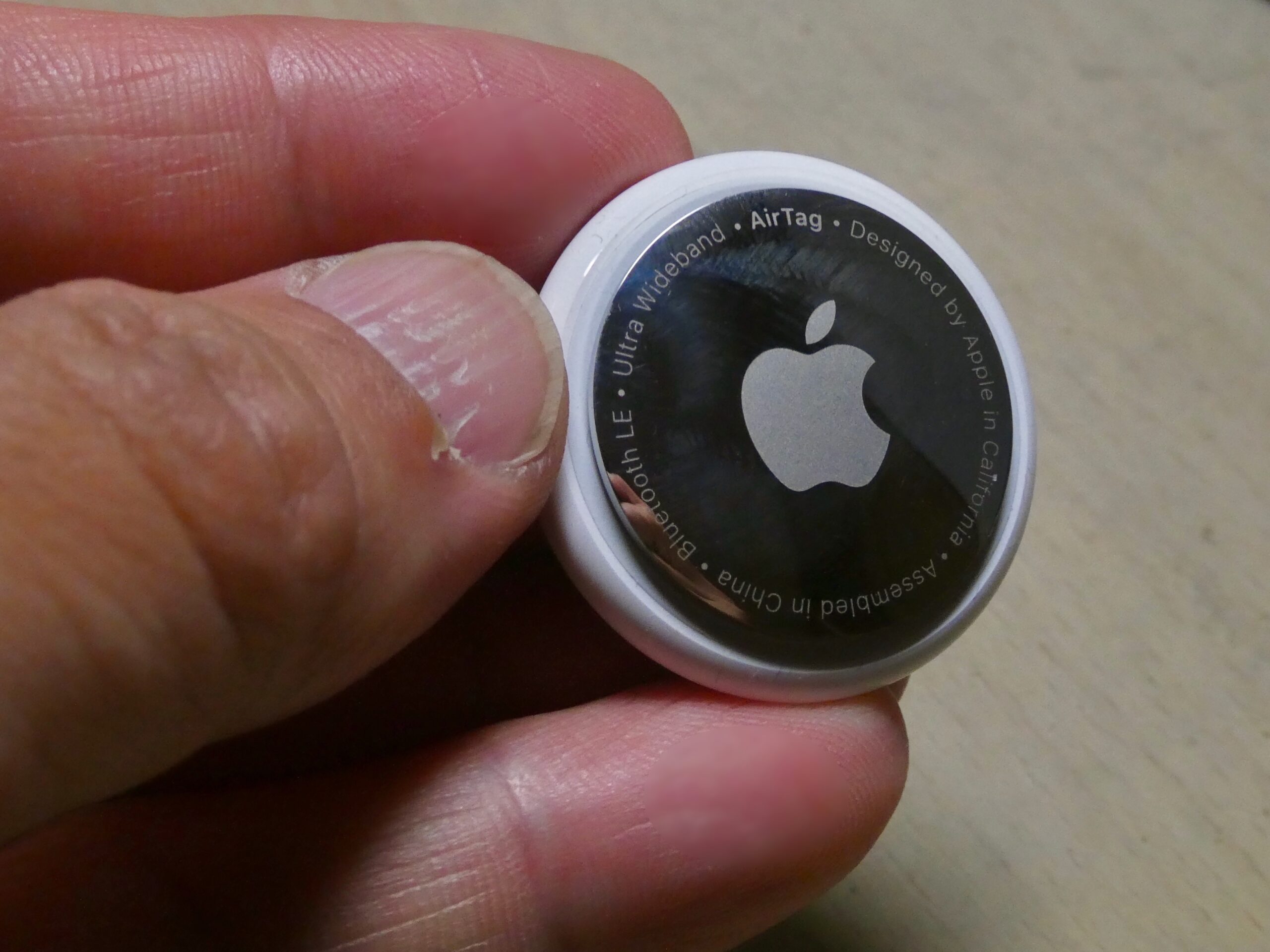
A small tracking tag can be helpful when it is clipped to your own keys, backpack, suitcase, or bike. The same idea becomes much less comfortable when a tag that does not belong to you appears to be moving with you. That is the problem unknown tracker alerts are designed to catch: a phone notices patterns that suggest a Bluetooth item tracker has been separated from its owner and is traveling with someone else.
These alerts are not magic, and they do not mean every nearby device is dangerous. Airports, buses, classrooms, apartment buildings, and crowded events are full of phones, earbuds, laptops, watches, and locator tags. The challenge is teaching a phone to ignore ordinary background signals while still warning a person when a tracker behaves like it might be following them. The result is a mix of Bluetooth detection, movement patterns, privacy rules, and practical safety choices.
Why Item Trackers Can Be Both Useful and Risky
Bluetooth item trackers solve a real everyday problem: people misplace things. A tag can broadcast a short-range signal, and nearby devices can help report that a lost item was seen in a general location. If a suitcase is left behind at an airport or a set of keys slips between couch cushions, that network can turn a frustrating search into a much smaller problem.
The risk comes from the same strength. A tracker is small, battery powered, and built to travel quietly with an object. If someone hides one in a bag, car, coat pocket, or bike basket, the device may keep broadcasting as the person moves. The tracker itself usually does not need GPS to create concern. It can use nearby phones and tablets as helpers, letting the tracker’s owner see updated location information through a larger device-location network.
That is why unwanted tracking is not only a gadget issue. It is a safety and privacy issue. A device meant for finding belongings can be misused to learn where a person lives, studies, works, or spends time. A good alert system has to respect legitimate uses, such as tracking a family suitcase, while still giving people a chance to notice and respond when a tag may be moving with them without permission.
What Your Phone Is Actually Detecting
Most item trackers use Bluetooth Low Energy, a wireless system designed for short messages that do not drain much battery. The tracker regularly sends out a signal that nearby compatible devices can detect. The signal does not need to carry a full identity in plain view; modern systems often rotate identifiers so a tag is harder for strangers to follow directly. Still, a phone can recognize that some kind of compatible tracker signal is nearby.
An alert is usually not triggered just because a tracker is in the same room. That would create too many false alarms. Instead, phones look for a more meaningful pattern: an unknown tracker appears near you over time, moves along with you, and is no longer close to the device or account that owns it. In other words, the question is not simply, Is there a tag nearby? It is closer to, Does this tag seem to be traveling with this person?
This difference matters. A tracker on a classmate’s backpack may be nearby for a few minutes. A tracker in another passenger’s luggage may sit near you on a train. A tag clipped to a rental car key may stay with you because it belongs to the car, not because someone is tracking you personally. Alert systems try to separate these ordinary situations from a tracker that repeatedly follows the same phone across places.
How Cross-Platform Alerts Changed the Problem
Early tracker safety systems were more fragmented. A phone was best at noticing trackers that belonged to the same ecosystem, while people using a different type of phone might receive weaker protection or need a separate app. That left a gap: a tracker could be designed for one device network but move with someone carrying another kind of phone.
Apple and Google addressed part of that problem in 2024 by supporting a shared industry specification called Detecting Unwanted Location Trackers. The goal was straightforward: compatible Bluetooth trackers should be able to trigger unwanted-tracking alerts across both iOS and Android, not only inside one company’s device family. Apple implemented the capability in iOS 17.5, and Google announced support for Android 6.0 and later devices.
That cooperation matters because safety features are weakest when they depend on everyone using the same brand of phone. A person should not have to know which tracker model is nearby before receiving a warning. Cross-platform detection helps phones recognize compatible unknown trackers more consistently, display identifying information when possible, and guide the user toward next steps such as playing a sound or learning how to disable the device.
The system is still not perfect. Trackers vary by manufacturer, software support, battery condition, speaker design, and how well they follow the specification. A phone also has to balance privacy with detection: it should not reveal a tracker’s location history to everyone nearby, and it should not turn normal public movement into constant warnings. The improvement is that the major phone platforms now share more of the burden instead of leaving the problem to one ecosystem at a time.
What Happens After an Alert Appears
An unknown tracker alert usually gives three kinds of information. First, it tells you that a compatible item tracker may have been detected moving with you. Second, it may show a map or timeline of where the tracker was noticed near your phone. Third, it may offer ways to learn more, such as playing a sound from the tracker, viewing an identifier, or opening instructions for disabling it.
Playing a sound is useful because Bluetooth signals can only narrow the search so much. A tag might be in a bag pocket, under a car seat, tucked into a jacket lining, or attached to an item you borrowed. A sound can help turn a vague warning into a physical object you can actually find. Some phones and trackers also support more precise nearby finding, but that depends on the phone, tracker model, and wireless hardware.
The alert should be read calmly but taken seriously. A tracker might belong to something innocent: borrowed luggage, a shared family item, a rental, or a bag someone accidentally left in your car. But if the item is hidden, unfamiliar, or connected to a situation that already feels unsafe, the alert gives you evidence that deserves attention. In that case, it can help to move to a public place, contact someone you trust, and follow the phone’s instructions before handling or disabling the tracker.
Disabling a tracker usually means stopping it from reporting location, often by removing or separating the battery if the design allows it. Some systems also show a serial number or partial account information that can help document what was found. If there is any chance of stalking, harassment, or a threat to safety, preserving screenshots and the physical device may matter more than quickly throwing it away.
Why False Alarms and Missed Alerts Can Happen
No phone can perfectly understand intent. It can detect signals and patterns, but it cannot know whether a tracker is attached to your own borrowed suitcase, hidden in your vehicle, or simply close to you during a long commute. That is why alerts sometimes appear in ordinary situations. A group trip, a shared car, a hotel shuttle, or a classroom with many bags can create enough repeated proximity to look suspicious at first.
Missed or delayed alerts can happen too. Bluetooth range changes with walls, metal, bodies, bags, and battery strength. A tracker may be nearby but difficult to hear if its speaker is muffled or damaged. A phone may not scan continuously in every condition, especially when power saving, airplane mode, software settings, or outdated systems limit what it can do. Some older trackers may not support the newest cross-platform alert standards.
This is why unknown tracker alerts should be understood as one layer of protection, not the whole safety system. They can reveal a hidden risk that would otherwise be nearly invisible. They can also create a warning that needs common sense before action. The best response is neither panic nor dismissal. Look at where the alert appeared, whether the tracker seems to have followed you across locations, whether you recognize the item, and whether the situation fits any real safety concern.
How to Think About Tracker Safety in Everyday Life
Most people do not need to fear every Bluetooth device around them. Phones are surrounded by wireless signals all day. A practical habit is to keep your phone’s operating system updated, leave safety alerts enabled, and know where to find the unknown-tracker section in your device settings or item-finding app. Those small steps make the alert system more useful when it is actually needed.
It also helps to think carefully before using trackers on shared belongings. A tag in a family suitcase, a child’s backpack, a car, or a borrowed bag should be handled with clear consent. Tracking an object can easily become tracking a person when the object travels with someone else. The respectful rule is simple: people should know when an item they carry can report location.
For students and families, the lesson is broader than one product. Modern location systems often work through networks, not only through a single device’s GPS chip. A small tag can become powerful because nearby phones quietly help locate it. Unknown tracker alerts are an attempt to make that hidden network visible when it starts to affect someone’s privacy.
The technology will keep changing, but the core idea is steady. Useful tools need guardrails when they can be misused. An alert on your phone is not a final verdict; it is a prompt to pay attention, find the object if possible, and make a safer choice with better information than you had a moment before.