

 Akshay Dinesh
A QR code looks like a tiny maze, but it is not a random pattern. Every dark and light square has a job. Some squares help a phone find the code and line up the image. Some describe how the code should be read. Others carry the actual message, such as a web address, a short piece of text, a contact card, a ticket number, or payment information. The result is a compact bridge between something printed or displayed and something a device can understand.
The basic idea is simple enough: turn information into numbers, turn those numbers into a pattern, and give a scanner enough landmarks to read the pattern quickly. The clever part is how much reliability is packed into the design. QR codes can often be read from an angle, under imperfect lighting, or after part of the pattern has been scratched, wrinkled, or covered. That resilience is why they spread from factories and shipping labels into menus, classrooms, transit signs, product packaging, event tickets, and everyday phone use.
The Big Squares Are Landmarks, Not Data
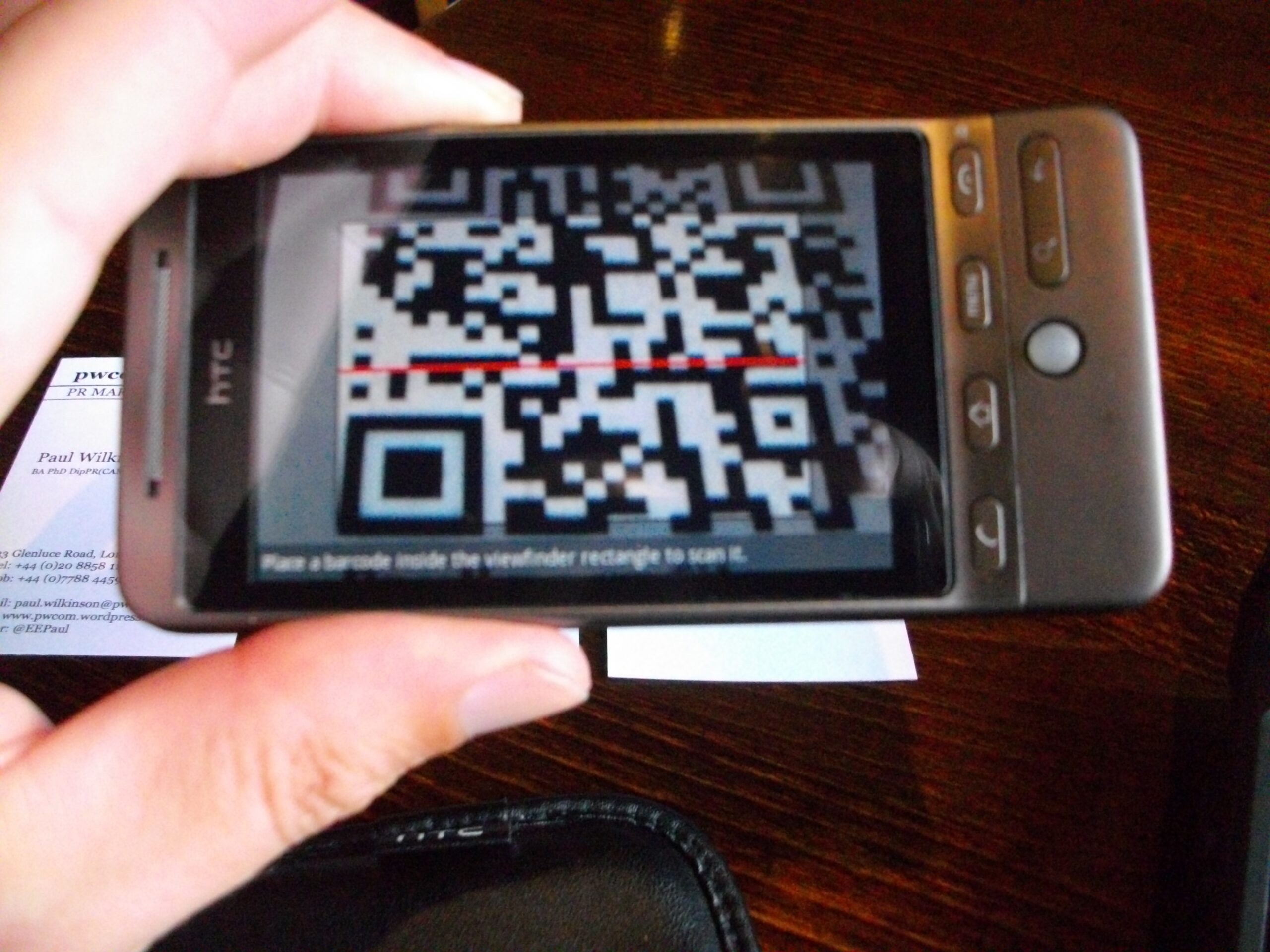
The three large squares in the corners are usually the first features people notice. These are finder patterns. They tell a scanner, in effect, where the code is and how it is rotated. Because the three corner markers form an uneven arrangement, a phone can tell which way is up even if the code is tilted or upside down in the camera view.
That matters because the camera does not begin with a perfect digital grid. It begins with a photograph: a rectangle of pixels, maybe blurred by motion, glare, paper texture, or a curved surface. The scanning software has to find the QR code inside that image, separate it from the background, correct for perspective, and estimate where each small square belongs. The finder patterns give the software stable anchors before it tries to read the smaller details.
QR codes also use timing patterns, which are alternating dark and light modules running between the finder patterns. A module is one small square in the QR grid. Timing patterns help the scanner measure the spacing of the grid so it does not confuse a slightly stretched photograph for a different code. Larger QR codes may include alignment patterns too. These smaller square targets help correct distortion when the code is printed on a large poster, scanned from an angle, or bent across a package.
The Message Becomes Bits Before It Becomes Squares
Once the scanner has found the grid, the real message still has to be decoded. QR codes do not store letters or links as tiny printed words. They store data as bits, the 1s and 0s used by digital systems. A dark module and a light module help represent those bits, but the pattern is arranged according to rules rather than written straight across like a sentence.
A QR code generator first chooses an encoding mode. Numeric data can be packed efficiently because digits need fewer possibilities than the full alphabet. Alphanumeric mode can handle capital letters, numbers, spaces, and a limited set of symbols. Byte mode can store a wider range of data, including lowercase letters and many characters used in web addresses. There is also a Kanji mode designed for certain Japanese character encoding needs. The point is practical: the code saves space by using a representation that fits the kind of information being stored.
After the message is converted into data codewords, the QR code still does not simply pour those bits into empty squares from left to right. The standard defines where the structural patterns go, where format and version information belong, and how the remaining data areas are filled. Many QR codes place data in a zigzag path through the grid, avoiding the reserved areas used for finder patterns, timing patterns, and other controls.
This is why two QR codes can look very different even when both open short web addresses. The exact pattern depends on the content, the encoding mode, the size version, the error-correction level, and a masking step that changes the visual balance of the final grid. The squares are readable because they follow a shared specification, not because a human can see the message by eye.
Size Depends on Data and Error Correction
QR codes come in versions. Version 1 is a 21 by 21 module grid. Each higher version adds more modules in both directions, up to Version 40, which is 177 by 177 modules. A small code can hold a short message, while a larger code can hold more data or stronger error correction. DENSO WAVE, the company that developed QR Code technology in the 1990s, describes version choice as a balance between data amount, character type, and error-correction level.
That balance explains a common design mistake. A QR code that tries to hold a long address, tracking information, or extra embedded data may become dense. Dense codes have smaller modules when printed at the same physical size, and tiny modules are harder for cameras to separate clearly. A short, clean address often scans more easily than a long, complicated one because the code can stay simpler.
Error correction also affects size. QR codes include extra information that helps recover the message if some modules are dirty, damaged, blurry, or hidden. The ISO/IEC 18004 standard defines the QR code symbology, including data encoding, symbol formats, dimensional rules, and error correction. In everyday terms, the code carries more than the bare message. It carries backup structure that lets the scanner reconstruct missing or uncertain pieces.
That extra protection is useful, but it is not unlimited. A code printed too small, stretched out of shape, placed on a busy background, or covered across a large area can still fail. Error correction is a safety margin, not a guarantee. The cleaner the print, the stronger the contrast, and the clearer the quiet zone around the code, the easier the scan becomes.
Why Damaged QR Codes Can Still Work
One of the most impressive parts of QR code design is error correction. QR codes use Reed-Solomon error correction, a mathematical method also used in other digital storage and communication systems. Instead of storing only the original message, the code stores additional calculated information. If some pieces are unreadable, the scanner can use the remaining data and the extra correction information to recover the intended message.
A helpful way to picture this is to imagine a sentence with a few letters smudged. If the sentence has enough context, a reader can often recover the missing letters. Reed-Solomon correction is much more formal than guessing from context, but the spirit is similar: the code includes enough structure to solve for damaged parts instead of giving up at the first bad square.
QR codes offer several error-correction levels. Higher levels can recover from more damage, but they leave less room for the original message unless the code grows larger. That is why codes used on packaging, signs, or tickets may choose stronger correction when physical wear is likely. A code shown briefly on a bright screen may not need the same tradeoff as one printed on a shipping label that could be scratched in transit.
This resilience also explains why logos can sometimes appear in the middle of QR codes. The logo covers part of the pattern, but if the code has enough error correction and the important structural patterns remain clear, the scanner may still recover the data. Poorly placed logos can still break a code, especially if they cover finder patterns, alignment patterns, or too much data area. Good QR design respects the math rather than treating the grid as decoration.
Masking Keeps the Pattern Readable
If a QR code simply placed raw data into the grid, it could accidentally create visual patterns that confuse scanners: big blank regions, dense blocks, or shapes that resemble the finder markers. To avoid that, QR codes use masking. A generator tests predefined mask patterns and chooses one that makes the final symbol easier to scan.
Masking flips selected modules according to a rule, changing some dark squares to light and some light squares to dark. The scanner can undo the mask because the QR code stores format information that identifies which mask was used. The message is not lost; it has been visually rearranged into a healthier pattern for scanning.
This step is one reason QR codes have their speckled look. The speckling is not just aesthetic. A balanced distribution of dark and light modules gives camera software a better chance to distinguish the grid, especially when lighting is uneven or the image is slightly out of focus. Good machine-readable design is often invisible to people because it is built for the limits of cameras, lenses, paper, ink, screens, and software.
The quiet zone around a QR code serves a similar purpose. That blank margin helps the scanner separate the code from surrounding text, photos, borders, or package artwork. Without enough margin, the scanner may not know where the code begins and ends. A QR code is not only the black-and-white square itself; it is the square plus enough clean space to make the square readable.
A QR Code Is a Small Agreement Between Print and Software
The reason QR codes work so smoothly is that many different systems agree on the same rules. A code generator follows the specification when it turns data into a grid. A phone camera and scanning app follow related rules when they locate the grid, correct the angle, read the modules, remove the mask, apply error correction, and turn the bits back into usable information. The printed square and the scanning software are speaking the same compact language.
That language is powerful, but it is not mysterious. The corner squares help the camera find the code. The grid stores encoded bits. The version and format information explain how the symbol should be interpreted. Error correction helps recover missing pieces. Masking keeps the pattern from becoming visually troublesome. The quiet zone gives the scanner room to recognize the symbol as a separate object.
Seen that way, a QR code is more than a convenient shortcut. It is a tiny lesson in data representation, computer vision, and reliable communication. A small printed pattern can survive imperfect lighting, awkward angles, and ordinary wear because the design assumes the real world will be messy. The squares look simple, but they carry a careful compromise: enough structure for machines to read quickly, enough flexibility to hold useful information, and enough redundancy to keep working when the pattern is not perfect.






Add comment